FAQ

Welcome to the official ZaP FeasT FAQ section. Here, you will find quick and helpful answers regarding our online food ordering process, bKash payment verification, custom dish requests, and VIP membership perks designed to give you a seamless dining experience.
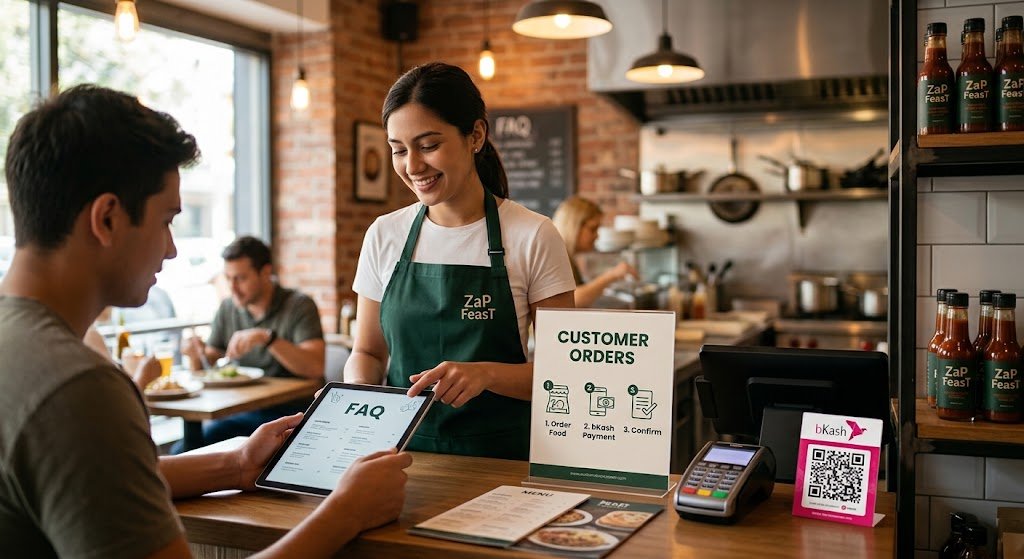
ZaP FeasT FAQ bkash iage

ZaP FeasT FAQ & Customer Support

ZaP FeasT FAQ for Customer Orders

Submit Confirmation: Return to the checkout page, enter your bKash phone number and the TrxID into the designated verification fields, and click Confirm Order to finalize your purchase.

Place Your Order: Add your desired food items to the cart on our website and proceed to checkout, selecting bKash as your online payment method.

Copy Merchant Number: Note down the official bKash Merchant (or Personal) account number displayed on the payment confirmation screen.

Open bKash App or Dial Code: Open your bKash mobile application or dial *247# on your mobile phone.

Select Payment Type:

Choose “Payment” (if paying a merchant account) or “Send Money” (if sending to a personal account).

Enter Details:

Enter the provided bKash account number.

Enter the exact total amount required for your online food order.

Confirm Transaction: Enter your bKash Mobile Menu PIN to securely authorize and complete the payment.

Save Transaction ID (TrxID): Once the transaction is successfully processed, you will receive an SMS containing a Transaction ID (TrxID).

Becoming a VIP customer at ZaP FeasT gives you access to exclusive dining perks, priority online food ordering, special event invitations, and promotional discounts. To join our VIP tier, simply complete ten verified online orders through our website within a single calendar month or maintain a total order balance exceeding 5,000 BDT. Once qualified, your account status updates automatically, unlocking priority table reservations, complimentary delivery services, personalized chef recommendations, and early access to seasonal menu additions for all future dining orders.

Yes, it is possible to request personalized dishes. Customers can customize their meal requests to accommodate specific dietary requirements, preferences, or allergy concerns. When placing your order, simply specify your modifications or unique instructions, and our kitchen will do its best to tailor your dish accordingly.

Standard local food delivery typically takes between 30 to 45 minutes, depending on your distance from our restaurant and current traffic conditions. During peak dining hours or holidays, delivery times may extend slightly. You can track your order status directly on our website or contact our support team for live updates regarding your delivery.

We support multiple convenient payment options for all online ordering customers. You can complete payments securely using bKash, major credit or debit cards, or select Cash on Delivery (COD) at checkout. For bKash orders, remember to enter your Mobile Number and Transaction ID (TrxID) on the checkout confirmation page to process your order promptly.

You can modify or cancel your food order within 5 minutes of submitting it by contacting customer support directly. Once our kitchen team begins preparing your order, cancellations or menu changes may no longer be possible. If you need immediate assistance with an active order, please call our direct hotline.

Need Further Assistance with Your ZaP FeasT Order? If your query is not addressed in this ZaP FeasT FAQ guide, our customer support team is available 24/7 to assist you. You can reach out directly via our official contact hotline, submit a message through our support page or contact our team for real-time help regarding active online food orders, special event bookings, menu inquiries, and bKash transaction confirmations.